Instamovies — Turn a single prompt into a complete short video—instantly. | Story.com
Instamovies is an AI shorts generator and AI short video maker that creates complete TikTok videos, Instagram Reels, and YouTube Shorts from a single text prompt. This AI video creator requires no editing skills—just describe your idea and get shareable vertical videos with visuals, voiceover, and music in under a minute. Perfect for content creators, marketers, and influencers who need fast, professional social media content.
Instamovies
How it works
Turn a single prompt into a complete short video—instantly. AI Shorts are a fun, spontaneous way to create one-shot shorts that captivate audiences on TikTok, Instagram Reels, YouTube Shorts, and beyond. No editing skills required, no steep learning curve— just pure creative energy transformed into shareable content in under a minute.

Start with your story.
Generate or import a script.
Type your idea and watch it come to life as a fully-realized short film with visuals, voiceover, music, and effects—all in one shot.
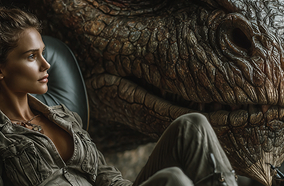
Instant AI generation.
Watch your script come to life.
Each AI Short is a complete, standalone piece—ready to share immediately. Instant results that look polished and professional.
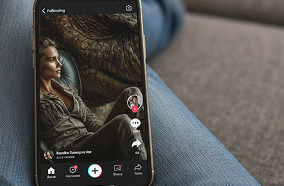
Share your story.
Generate or import a script.
AI Shorts are made easy to share. Each movie is generated in vertical formats with resolutions for every social platform.

Turn a single prompt into a complete short video—instantly. AI Shorts is the fun, spontaneous way to create viral-ready content that captivates audiences on social media. No editing skills required, no steep learning curve—just pure creative energy transformed into shareable content in under a minute.
Generate Complete Shorts
While other tools require you to stitch together clips, manage timelines, or learn complex interfaces, InkShorts gives you complete shorts instantly. It's the difference between sketching an idea and rendering a masterpiece—both have their place, and InkShorts owns the sketch.
Transfer Shorts to Studio
When you're ready to build your short into a full movie with frame-perfect control, multi-scene sequences, and advanced editing, that's when you graduate to Studio—our pro-grade timeline editor built for AI-native filmmaking.
Used by more than 1 million Story.com users
Start with an idea, shape the story and scenes, then use pay-per-use credits when the project is worth taking into richer generation.
Story.com users
Before media
Pay per use
Trusted by some of the world's most recognizable brands.
Trusted by Leading Entertainment and Media Companies



Frequently Asked Questions
Instamovies is an AI powered shorts video generator that creates complete, vertical and horizontal format videos from a single text prompt. You describe your video idea, and the AI generates visuals, voiceover, background music, and effects to produce social media ready content in few minutes. No video editing experience required.
Instamovies generates complete short videos in few minutes. Simply enter your prompt, select your preferences, and the AI creates a finished video with visuals, voiceover, and music automatically. Most users have their first video ready within minutes from start to download.
No video editing experience is required. Instamovies is designed for creators of all skill levels. You only need to write a text description of your video idea, and the AI handles all technical aspects including scene composition, transitions, voiceover generation, and music selection.
Instamovies specializes in short-form content, generating videos from 15 seconds to 90 seconds in length - perfect for TikTok (up to 60s), Instagram Reels (up to 90s), and YouTube Shorts (up to 60s). For longer videos with multi-scene editing, use our AI Video Editor.
Still have questions? Reach out to our creator support team—we'll tailor guidance to your project.
↳ Get in touchWays to keep building after Instamovies
Move into the next creative job: write the source story, plan the shot sequence, generate scenes, refine the cut, or build a reusable character.